
Start with Shopify Inbox. It’s free, it’s built into your admin, and it handles the repetitive stuff (order status, shipping windows, return policy) without any setup fuss. Layer in a third-party app or custom development only when you need proactive
selling, multi-channel support, or workflows Inbox can’t touch. Do that, and you’ll cut repetitive tickets and see more chats convert into orders.
TL;DR:
- Third-party chatbot apps fall into entry, mid, and enterprise tiers, with advanced features like order editing and refunds primarily available in the highest tier.
- Building a custom Shopify chatbot requires API access, webhooks, or MCP-based development, particularly for complex actions like checkout automation or multi-platform syncing.
- Native Shopify tools are not designed for proactive outreach, multi-channel support, or custom order and refund actions, which often require third-party apps or custom development.
- Costs vary from free for Inbox, to low monthly fees for no-code apps, to custom development pricing for fully tailored chatbot workflows.
Table of Contents
- What Is a Shopify AI Chatbot, Exactly?
- Do Shopify’s Native Tools (Inbox, Sidekick) Cover Most Needs?
- What Do Third-Party Shopify Chatbot Apps Actually Offer?
- How Do You Set Up a Chatbot on Shopify Step by Step?
- Where Do Chatbots Actually Move Sales and Support Metrics?
- What Does a Shopify Chatbot Actually Cost?
- When Should You Move Beyond No-Code Chatbot Apps?
- Why Bring In a Shopify Development Partner for Chatbot Work?
- Where to Focus Your First Month With a Shopify Chatbot
- Get a Custom Shopify Chatbot Built Around Your Actual Workflow
- Where to Read More on Shopify Chatbots and AI Agents
- Sources
- FAQ
What Is a Shopify AI Chatbot, Exactly?
An AI chatbot for Shopify is software that reads a customer’s message, understands the intent behind it, and responds without a human typing the answer. That’s different from the chatbots most of us dealt with a decade ago, which matched keywords to scripted replies and broke the moment someone phrased a question slightly wrong.
The AI-driven version handles messier, real-world phrasing. It can look up an order by name instead of order number, recommend a product based on a vague description (“something for dry skin that doesn’t smell like a hospital”), and answer FAQs pulled straight from your policy pages. Rule-based bots are cheaper to build and easier to audit, since every response is scripted. AI-driven bots scale better across edge cases but carry a real hallucination risk if they’re not grounded in your actual catalog and policies.
Before you commit to any tool, check whether it actually covers these tasks:
- Order lookup and shipping status without agent involvement
- FAQ answers sourced from your real policy pages, not generic scripts
- Product recommendations tied to live inventory and pricing
- A clean handoff to a human when the bot hits its limit
That last point matters more than most store owners expect. A bot that confidently guesses at return policy details is worse than no bot at all.
Do Shopify’s Native Tools (Inbox, Sidekick) Cover Most Needs?
For most stores under a few thousand orders a month, yes. Shopify’s own guidance positions Inbox as the default layer for handling order tracking and repetitive FAQs, and it comes at no extra cost with your Shopify plan.
Inbox syncs with your product catalog automatically, so it can answer “is this in stock” or “what sizes do you carry” without you feeding it manual data. It generates instant answers for common questions, tracks basic conversation analytics, and handles order lookups without an agent lifting a finger. Sidekick, Shopify’s AI assistant, helps you author those instant answers faster and suggests responses based on your store’s actual content. The Knowledge Base feature improves how discoverable your policies and product details are to both Inbox and Sidekick.
Salesforce projects AI will handle 50% of service cases by 2027, up from 30% in 2025, according to Shopify’s chatbot guidance. That trajectory tells you native tools aren’t a stopgap. They’re becoming the baseline.
Where native tools fall short:
- No proactive outreach (no nudging a hesitant shopper on a product page)
- Limited to Shopify’s own channels; weaker for unified multi-channel support
- No custom actions like processing refunds or editing orders mid-chat
If your store is early-stage or mid-size and mostly fields “where’s my order” questions, Inbox alone probably covers the majority of needs.
What Do Third-Party Shopify Chatbot Apps Actually Offer?
Third-party apps split roughly into three capability tiers, and understanding which tier matches your actual need saves you from overpaying or underbuying.
Entry tier apps are typically no-code, cap you at a limited number of monthly conversations, and handle simple catalog questions and FAQs. Good for stores testing whether a chatbot moves any numbers at all before spending real money.
Mid tier apps add proactive behavior. Think popups that trigger when someone lingers on a product page, in-chat add-to-cart actions, a shared multi-channel inbox for email and social alongside chat, and analytics dashboards that show conversion lift rather than just message counts. Several apps in this space report catalog sync as a key driver of faster time-to-value for sales-focused features, since the bot can recommend and add real products the moment it’s installed.
Enterprise tier apps unlock custom actions like processing refunds or editing orders inside a chat session, plus SLAs, single sign-on, and dedicated support. This tier makes sense once chat volume justifies a support contract, not before.
When evaluating any app, check four things specifically:
- Catalog sync fidelity: does it reflect inventory and pricing in real time?
- Human handoff quality: how clean is the transition when the bot can’t help?
- API actions: can it actually do things (add to cart, check order status) or just talk?
- Data residency: where is customer conversation data stored, and does that match your compliance needs?
Pro Tip: Install the free trial of a mid-tier app for 30 days before signing an annual contract. Most feature gaps only show up once real customers start asking real questions, not during a demo.
How Do You Set Up a Chatbot on Shopify Step by Step?
Getting a chatbot live doesn’t require a developer for the first pass. Follow this order and you’ll have something measurable within a week.
- Enable Shopify Inbox from your Shopify admin under Sales Channels. This is your foundation layer regardless of what else you add later.
- Run Sidekick’s quick-start suggestions. It scans your store and proposes instant answers based on existing content, saving you the blank-page problem.
- Write instant answers for your top five to ten FAQs (shipping times, return windows, size guides) and link each one directly to the relevant policy page rather than paraphrasing it.
- Verify catalog sync. Ask the bot about a real, current product and confirm the price and stock status match your storefront exactly.
- Test the order-lookup flow using a real order number to confirm it pulls accurate status, not a generic “your order is being processed” placeholder.
- Set human handoff rules. Define your support hours, what triggers an escalation (a refund request, a complaint, three failed bot responses in a row), and who receives the handoff.
- Launch a staged pilot on a subset of pages or a limited SKU range before rolling out storewide. A Shopify Community discussion on chatbot integration backs this staged approach as the lowest-risk way to validate ROI before a full rollout.
- Collect satisfaction ratings and review analytics weekly for the first month, adjusting instant answers based on where customers still escalate to a human.
The Salesforce data point about AI handling 30% of service cases in 2025, climbing toward 50% by 2027, gives you a rough benchmark. If your bot isn’t deflecting a meaningful share of repetitive tickets within a month of launch, something in steps 3 through 5 needs revisiting.
Where Do Chatbots Actually Move Sales and Support Metrics?
Not every chatbot feature earns its keep equally. Some behaviors consistently pay off; others are nice-to-haves that rarely justify the setup time.
Proactive product assistance on high-intent pages, like a bot that offers sizing help the moment someone spends 30 seconds on a product page, tends to lift conversion because it catches hesitation before the shopper abandons. That behavioral-signal approach, identifying hesitant shoppers and offering relevant comparisons or incentives, is where the “reactive support to proactive sales” shift shows up most clearly.
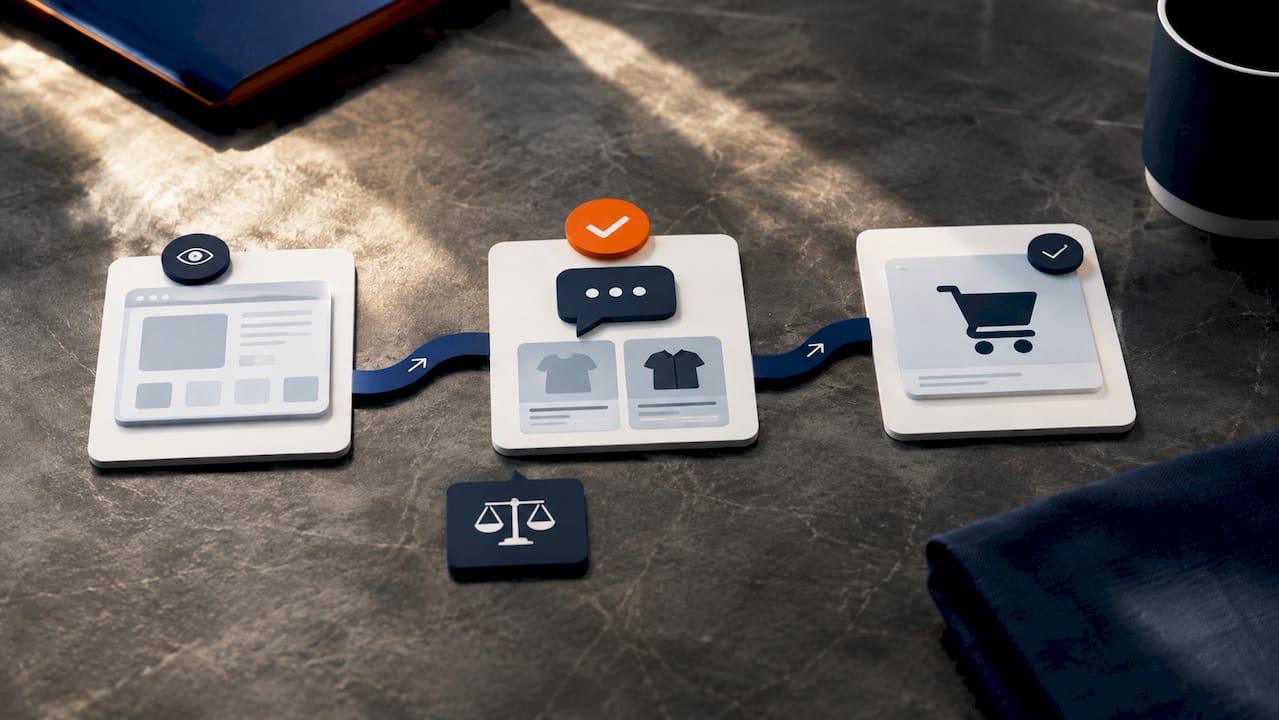
Order-tracking automation and simple support answers cut both ticket volume and response time, freeing your team to handle the complaints that actually need a person. Cross-sell suggestions, bundle offers, and coupon delivery inside a chat session raise average order value when timed to genuine buying intent rather than blasted at every visitor.
Track these KPIs to know if it’s working:
- Chats-to-order rate (how many conversations end in a purchase)
- Ticket deflection rate (what percentage never reach a human agent)
- Assisted average order value (orders influenced by a chat interaction)
- SLA compliance (response and resolution times against your stated targets)
For a broader look at how AI touches other parts of the store beyond chat, our breakdown of ecommerce AI growth levers covers adjacent use cases worth exploring once chat is dialed in.
What Does a Shopify Chatbot Actually Cost?
Pricing shapes vary more than most store owners expect going in. Shopify Inbox is free. Beyond that, you’ll run into three common models:
- Per-conversation pricing: you pay based on chat volume, which scales awkwardly if you run a flash sale
- Seat-based pricing: priced per support agent using the shared inbox, common at the mid tier
- Usage-tier pricing: flat monthly fee that unlocks more automations and integrations as you climb tiers
The cost that catches people off guard isn’t the subscription. It’s developer time for customization, connecting the bot to a CRM, tuning catalog sync, or building a handoff flow that matches your actual support hours. A single-person store can often run free or under $50 a month with Inbox plus a light entry-tier app. A growing shop with multichannel needs typically lands in the low hundreds monthly once you add proactive features and analytics. Enterprise setups with custom actions and SLAs move into custom development territory, priced by project rather than subscription.
When Should You Move Beyond No-Code Chatbot Apps?
No-code setup is fine for FAQs, catalog answers, and basic order lookups. It stops being fine once you need actions a standard app doesn’t support, like custom refund logic, multi-system data sync, or an agent that completes checkout on its own.
For that level, Shopify’s developer documentation covers building a storefront AI agent using the Model Context Protocol, which lets an agent search products, recommend items, and complete checkout programmatically. Building against MCP or webhooks typically requires Node.js as part of the toolchain, so factor that into your team’s stack before committing.
Security matters here. Any LLM-backed agent touching order data or checkout needs a staging environment, tested rate limits, and a review of what data it can access before it ever talks to a real customer.
- No-code apps: fine for FAQs, catalog answers, order status
- Webhooks/SDKs: needed for custom triggers or syncing chat data to external tools
- MCP-based custom agents: needed for autonomous checkout or complex multi-step actions
- Hire a development partner when data sensitivity, scale, or custom checkout logic is involved
Custom checkout flows in particular deserve their own scrutiny. Our guide to Shopify checkout customization walks through what’s worth building versus buying.
Why Bring In a Shopify Development Partner for Chatbot Work?
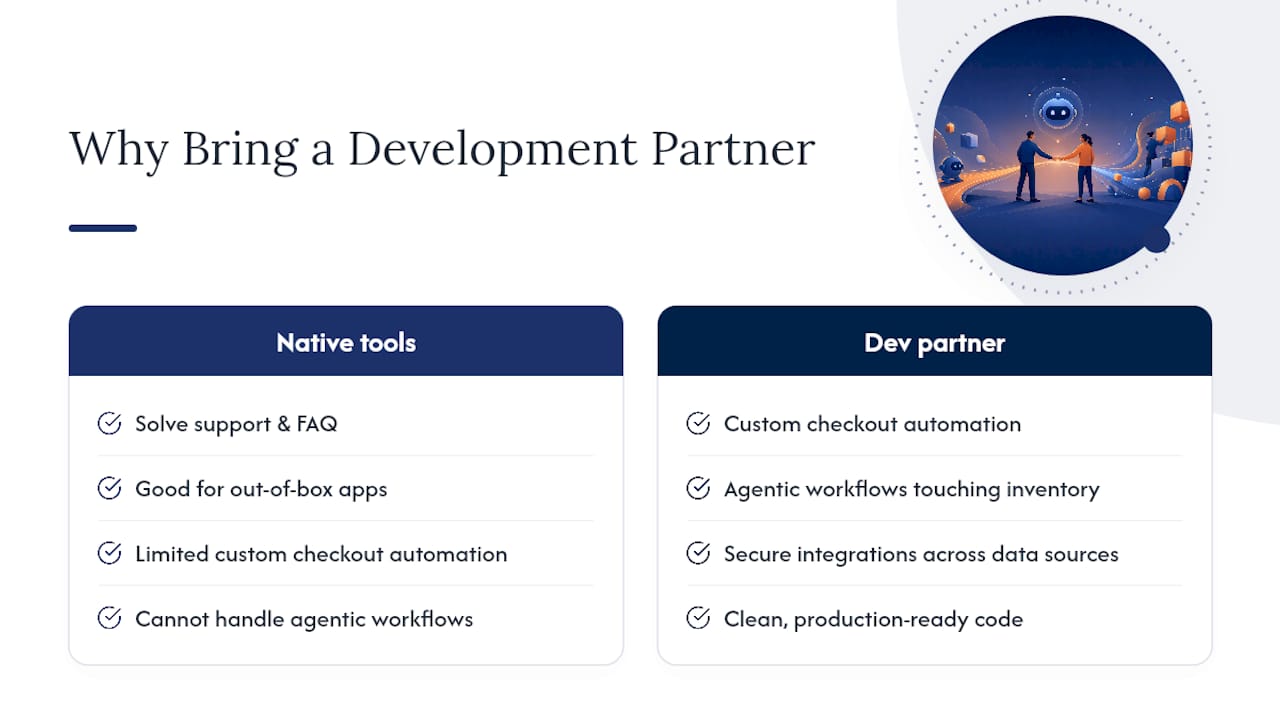
Native tools and third-party apps solve most support and FAQ needs. Where they hit a wall is custom checkout automation, agentic workflows that touch inventory or fulfillment systems, and integrations that need to stay secure across multiple data sources.
That’s the gap a development partner closes. Bowtie builds custom Shopify integrations and agentic workflows for clients ranging from startups to major organizations, with a focus on clean, production-ready code rather than a fragile prototype held together by API keys.
Where to Focus Your First Month With a Shopify Chatbot
Start small. Get Inbox live, tune your top ten FAQs, and measure ticket deflection before touching anything else. Order tracking and basic support questions should be your first automation targets, not proactive selling.
Resist over-automating early. Keep humans in the loop for refunds, complaints, and anything involving money leaving your account. Move to custom development only once you’ve outgrown what a configured app can actually do.
— Chad
Get a Custom Shopify Chatbot Built Around Your Actual Workflow
If you’ve hit the ceiling on what Shopify Inbox or a mid-tier app can do, the next step isn’t another subscription. It’s a chatbot built around your specific catalog, checkout logic, and support rules, without the licensing fees or feature gaps that come from bending a generic app to fit your store.

Bowtie builds custom Shopify integrations and agentic workflows for stores that have outgrown off-the-shelf apps, whether that means a checkout automation, a refund workflow that needs custom logic, or a chatbot that connects to systems Inbox was never built to touch. If catalog sync, human handoff, or checkout actions are where your current setup keeps falling short, our AI integration and Shopify development services are built to solve exactly that. Book a discovery call to talk through what your store actually needs before you commit budget to another app subscription.
Where to Read More on Shopify Chatbots and AI Agents
- Shopify’s guide to AI chatbot customer service covers native tools and industry adoption trends
- Shopify’s developer docs for building a storefront AI agent detail the MCP-based custom build path
- Gartner’s agentic AI predictions frame the longer-term shift toward autonomous resolution
Sources
- AI Chatbot Customer Service: Shopify Guide
- Build a Storefront AI agent
- Gartner press release on agentic AI predictions
FAQ
Which AI chatbot is best for a Shopify store?
For most stores, Shopify Inbox is the best starting point since it’s free and syncs directly with your catalog. Add a third-party app or custom build only once you need proactive selling or custom actions Inbox doesn’t support.
Is there an AI for Shopify?
Yes. Shopify offers Inbox for customer chat and Sidekick as an AI assistant for store management, and both are built into the Shopify admin at no extra cost.
Does ChatGPT integrate with Shopify?
Not as a native, one-click integration. Developers can build custom agents using Shopify’s Model Context Protocol and connect them to large language models, but that requires development work rather than a simple app install.
Is there a Shopify chat app?
Shopify Inbox is the native chat app included with every Shopify plan, and the Shopify App Store also lists numerous third-party chat apps with varying pricing tiers and feature sets.
How do I integrate a chatbot into my Shopify store?
Enable Shopify Inbox from your admin, set up instant answers with Sidekick, verify catalog sync, and define human handoff rules before running a staged pilot to measure results.






