Get more from PracticeQ (IntakeQ) in Santa Clara
Custom reporting, booking, matching, and workflow tools on the IntakeQ / PracticeQ API so your team spends less time in spreadsheets.
- • Custom reporting, booking, and scheduling tools on the IntakeQ / PracticeQ API
- • We keep PracticeQ as the system of record and build the missing layers
- • Senior-led delivery with a clear scope before we write code
- • Deep IntakeQ / PracticeQ API experience from shipped group-practice work
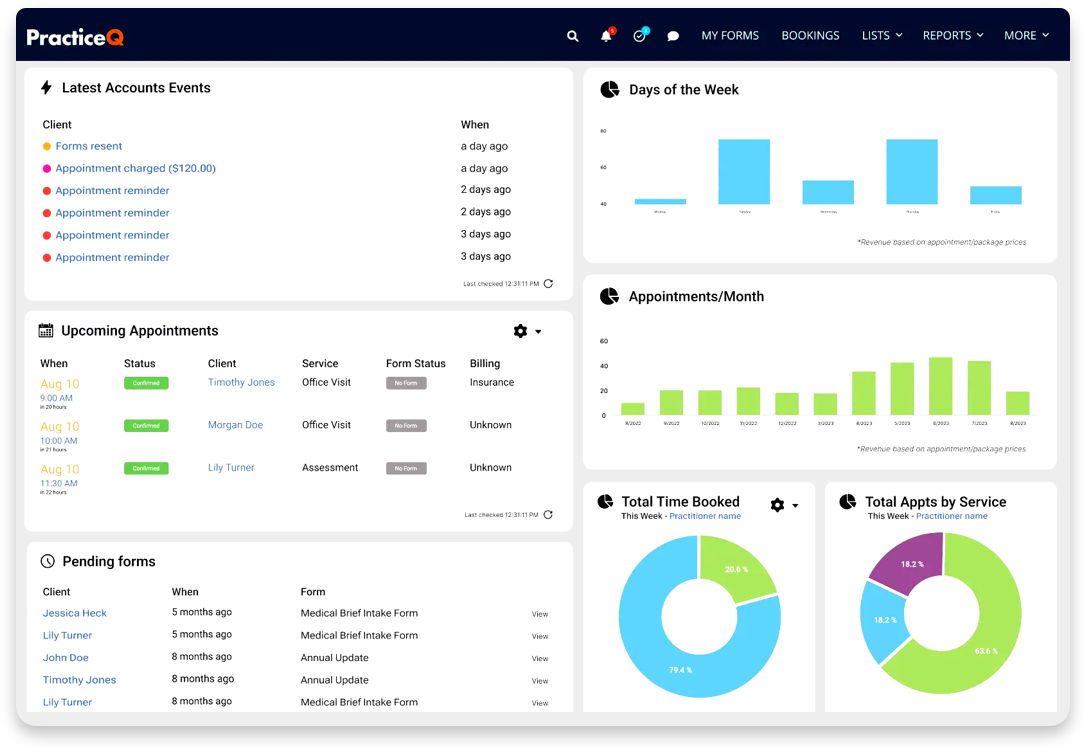
The cost is not PracticeQ. It is the work your team does around it.
LEARN HOW WE TRANSFORMED A REAL PRACTICE
Where group practices get stuck in Santa Clara
PracticeQ handles intake, scheduling, and notes well. Group practices still end up in spreadsheets for the work around it: matching, reporting, admin workflows, and anything the API does not expose in the UI.
Group Practices in Santa Clara, California face the same operations challenges as psychology group practices everywhere. We help Santa Clara-area practices get more from PracticeQ and IntakeQ.
Reporting takes exports and spreadsheet cleanup
Admins export CSVs, stitch them together, and still argue about which number is right.
Scheduling rules break down as you add locations and clinicians
Specialty, insurance, and location rules that work for one clinic fail when you add the second.
Intake, scheduling, and billing data live in separate views
Staff bounce between IntakeQ screens because the joined view does not exist yet.
Too many manual steps between intake, appointment, and invoice
Handoffs leak: someone re-enters data, someone forgets a step, someone chases a missing form.
Online booking cannot use the provider attributes you already store
Public booking shows availability, not the provider traits patients actually need to match on.
Leadership does not have one dashboard they trust
Owners ask simple questions — utilization, no-shows, revenue by location — and wait days for an answer.
We build the missing PracticeQ layer
Keep IntakeQ / PracticeQ. We add integrations, dashboards, and workflow tools that sit on the API so your team stops living in exports.
Integrations and automation
- Connect IntakeQ data to the admin and finance workflows you already run
- Automate repeatable steps that currently live in email and spreadsheets
- Rate-limit aware API work so jobs stay reliable as you grow
- Custom tools when the native UI does not expose the field you need
Dashboards and booking tools
- Admin scheduling views that use provider specialties and attributes
- Online booking that can match on data PracticeQ does not surface
- Location and provider reporting in one place
- Audit-friendly summaries your ops team can actually check

We build the glue between systems – and it's more affordable than you think.
Want a clear plan before you invest?
We’ll map workflow + data sources and recommend the most valuable solution.
What you get
Working software on top of PracticeQ, with a scope you can follow.
Less admin work
Automate the repeatable intake, scheduling, and operations steps your staff does every week.
Hours back to the front deskReporting you can check
Joined views instead of exported CSVs, with numbers that match how the practice actually runs.
Fewer reconciliation fightsTools the team will use
Dashboards and booking flows built around the fields you already keep in PracticeQ.
One source of truthFAQ
Can you build custom tools on top of IntakeQ / PracticeQ?
Yes. We build reporting, booking, matching, and workflow tools that extend what PracticeQ already does well.
Do you support multi-location, multi-provider group practices?
Yes. Most of this work starts when a second location or a more complex provider roster makes the native UI painful.
Do you also handle provider payroll?
Custom payout reports are in scope when the rules are unusual. For standard revenue share, CPT rates, and hybrid pay, PayrollQ is the product — it connects to PracticeQ and calculates what each provider is owed.
Will this replace IntakeQ?
No. PracticeQ stays the system of record. We add the missing automation and analytics layers.
How do we start?
A short discovery call to map the workflow and pick the highest-value build first.
Do you work with psychology practices in Santa Clara?
Yes. We support practices in Santa Clara, California, and the surrounding area with PracticeQ and IntakeQ integrations, reporting, and automation.
What if we mainly need provider payroll from PracticeQ?
That is a separate product. See PayrollQ for PracticeQ in Santa Clara for automated compensation from IntakeQ data.
Ready to reduce manual work?
Start with a short call. Leave with a clear plan and clarity for your Santa Clara group practice.